How to use LUMITRIX technology
Workshop
Duration: 3 hours
Sunday, 10 June 2018 | 16:00 > 18:002018-06-10T16:00:00.000Z | Classroom 1
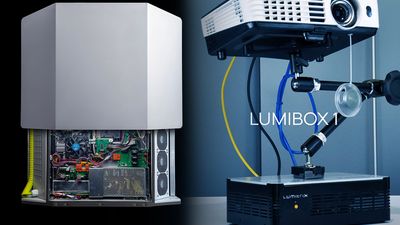
Our company bring to world first All in one solution for outdoor projections. We built projector which included media server, camera, scan system, scheduling, wifi/internet connection and much more - TYPHOON T2.is also Weatherproof IP rating 43! This machine is selling around the world.
more at http://lumitrix.eu/#technology
Then we Strat building indoor control unit. Which you can use with any projector on the market - LUMIBOX.
more at: https://www.facebook.com/LumiBOXeu/
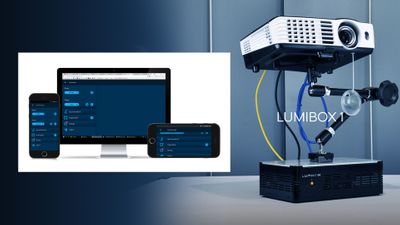
For our machines we also make whole new web application - LUMIVERSE. Lumiverse was born last year, and now, we are proud to show you latest version - LUMIVERSE II!!!
On this workshop you can try Lumibox control unit and Lumiverse II web application. You don't need special hardware.... just PC, Mac, Tablet, or smartphone with Chrome web browser!
Then you can learn how to use our mapping tools to finish your project.
Make your video-mapping installations smart and permanent easy way.
You can try :
- all new features like trigger system for make your installation interactive. Using camera on LUMIBOX
- blending
- shedulling
- make scene
- layers
- use HTML5 apps
- use loop library
- upload your videos, GIFs, PICs
- multiprojection setup
- synchronization
- wifi/GSM use
- PJLink/RS232 control
...and more
for more info write to dip@lumitrix.eu
more at http://lumitrix.eu/#technology
Then we Strat building indoor control unit. Which you can use with any projector on the market - LUMIBOX.
more at: https://www.facebook.com/LumiBOXeu/
For our machines we also make whole new web application - LUMIVERSE. Lumiverse was born last year, and now, we are proud to show you latest version - LUMIVERSE II!!!
On this workshop you can try Lumibox control unit and Lumiverse II web application. You don't need special hardware.... just PC, Mac, Tablet, or smartphone with Chrome web browser!
Then you can learn how to use our mapping tools to finish your project.
Make your video-mapping installations smart and permanent easy way.
You can try :
- all new features like trigger system for make your installation interactive. Using camera on LUMIBOX
- blending
- shedulling
- make scene
- layers
- use HTML5 apps
- use loop library
- upload your videos, GIFs, PICs
- multiprojection setup
- synchronization
- wifi/GSM use
- PJLink/RS232 control
...and more
for more info write to dip@lumitrix.eu
Gallery
Uvod_Flxr
Author
 Welcome to LUMITRIX HQ and design laboratory.
In this place, we're designing, coding and building hard to deliver the best projection tools and experiences.
LUMITRIX is developing HW/SW solutions for interactive projection-mapping installations since 2012.